Quick Start with OpenAI MCP Client
What is Model Context Protocol (MCP)?
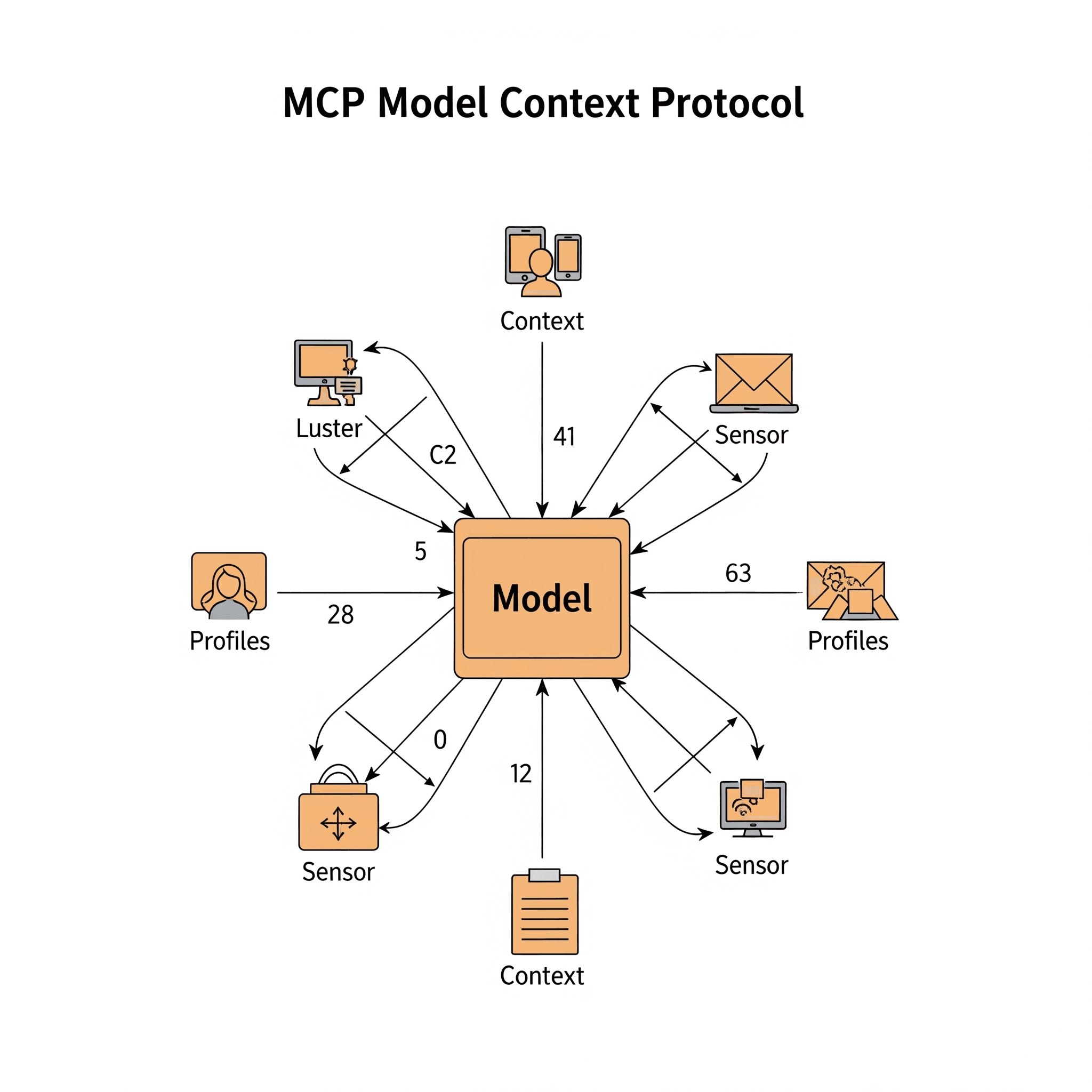
The Model Context Protocol (MCP) is an open standard that enables seamless integration between AI applications and external data sources and tools. Think of it as a bridge that allows Large Language Models (LLMs) to interact with your databases, APIs, file systems, and other resources in a secure and standardized way.
MCP addresses one of the biggest challenges in AI development: giving language models access to dynamic, real-time information and the ability to take actions in the real world. Instead of being limited to their training data, AI models can now:
- Access live data: Connect to databases, APIs, and file systems
- Use tools: Execute functions, run scripts, and interact with external services
- Maintain context: Share information across different tools and resources
- Stay secure: Implement proper authentication and authorization
The protocol consists of three main components that work together to create powerful AI applications:
MCP Servers
MCP servers are the backbone of the protocol - they expose resources, tools, and prompts that AI models can use. These servers act as intermediaries between your AI application and external systems. For example, you might have:
- A database server that provides read/write access to your application data
- A file system server that allows the AI to work with documents and files
- A web API server that connects to third-party services like GitHub or Slack
- A tool server that provides specialized functions for data analysis or automation
MCP Clients
MCP clients are the AI applications that consume the capabilities provided by MCP servers. They connect to servers, discover available resources and tools, and use them to enhance their functionality. The mcp-clients Python package we'll explore in this guide makes it incredibly easy to build these clients with OpenAI's GPT models.
Why MCP Matters
Before MCP, integrating AI with external systems required custom implementations for each use case. MCP provides a standardized approach that:
- Reduces complexity: One protocol works with multiple data sources and tools
- Improves security: Built-in authentication and permission management
- Enables interoperability: Different AI models can use the same MCP servers
- Accelerates development: Focus on your application logic, not integration details
Now that you understand the foundation, let's dive into building your first MCP client application using the mcp-clients Python package with OpenAI's powerful GPT models.
Prerequisites
Before you start:
- Python 3.12 or higher installed on your system
- Basic familiarity with Python and async programming
- An OpenAI API key (get one at OpenAI API Platform)
Step 1: Set Up Your Project Environment
Let's create a new project directory and set up a clean Python environment:
mkdir openai-mcp-client
cd openai-mcp-client
Initialize the Project with uv
We'll use uv for fast Python package management. If you don't have uv installed, you can install it with:
curl -LsSf https://astral.sh/uv/install.sh | sh
Now initialize your project:
uv init .
Create and Activate Virtual Environment
uv venv
source .venv/bin/activate  # On Windows: .venv\Scripts\activate
Install Required Dependencies
uv add mcp-clients python-dotenv
Step 2: Configure Environment Variables
Create a .env file in your project directory to store your API key securely:
touch .env
Add your OpenAI API key to the .env file:
OPENAI_API_KEY=your_actual_openai_api_key_here
Important: Never commit your .env file to version control. Add it to your .gitignore:
echo ".env" >> .gitignore
Step 3: Create Your First OpenAI MCP Client
Create a new Python file called main.py:
import asyncio
from dotenv import load_dotenv
from mcp_clients import OpenAI

load_dotenv()

async def main():
    client = await OpenAI.init(
        server_script_path="path_to_your_mcp_server_script.py",
        model="gpt-4o-mini",  # You can also use gpt-4o, gpt-3.5-turbo, etc.
    )

    try:
        await client.chat_loop()

    except KeyboardInterrupt:
        print("\n👋 Goodbye! Thanks for using OpenAI MCP Client.")
    except Exception as e:
        print(f"An error occurred: {e}")
    finally:
        await client.cleanup()

if __name__ == "__main__":
    asyncio.run(main())
Step 4: Understanding the Code
Let's break down what this code does:
Environment Setup
from dotenv import load_dotenv
load_dotenv()
This loads your OpenAI API key and other configuration from the .env file.
Client Initialization
client = await OpenAI.init(
    server_script_path="path_to_your_mcp_server_script.py",
    model="gpt-4o-mini",
)
This creates a connection between your OpenAI GPT client and an MCP server that provides tools and resources. You can specify different GPT models:
gpt-4o: The most capable model for complex tasksgpt-4o-mini: Fast and efficient for most use casesgpt-3.5-turbo: Cost-effective option for simpler tasks
Interactive Chat Loop
await client.chat_loop()
This starts an interactive session where you can chat with the AI, and it can use the tools provided by your MCP server.
Proper Cleanup
finally:
    await client.cleanup()
This ensures all connections are properly closed when the application exits.
Step 5: Advanced Configuration Options
The OpenAI MCP client supports additional configuration options:
client = await OpenAI.init(
    server_script_path="path_to_your_mcp_server_script.py",
    model="gpt-4o-mini",
    temperature=0.7,  # Control randomness (0.0 to 1.0)
    max_tokens=1000,  # Maximum tokens in response
    system_prompt="You are a helpful AI assistant with access to powerful tools.",
)
Configuration Parameters:
- model: Choose from available OpenAI models
- temperature: Controls randomness in responses (0.0 = deterministic, 1.0 = very random)
- max_tokens: Maximum number of tokens in the response
- system_prompt: Custom system message to guide the AI's behavior
Step 6: Running Your Client
With everything set up, you can now run your OpenAI MCP client:
python main.py
The client will initialize, connect to your MCP server, and start an interactive chat session where you can:
- Ask questions and get intelligent responses
- Request the AI to use tools provided by your MCP server
- Perform complex tasks that combine multiple tools
- Access real-time data and external resources
Step 7: Model Selection Guide
Choose the right OpenAI model for your use case:
GPT-4o
- Best for: Complex reasoning, code generation, creative tasks
- Use when: You need the highest quality responses
- Cost: Higher per token
GPT-4o-mini
- Best for: Most general-purpose applications
- Use when: You want a balance of capability and cost
- Cost: Moderate per token
GPT-3.5-turbo
- Best for: Simple tasks, high-volume applications
- Use when: Cost optimization is important
- Cost: Lowest per token
Step 8: Error Handling and Best Practices
Here's an enhanced version with better error handling:
import asyncio
import logging
from dotenv import load_dotenv
from mcp_clients import OpenAI

# Configure logging
logging.basicConfig(level=logging.INFO)
logger = logging.getLogger(__name__)

load_dotenv()

async def main():
    try:
        client = await OpenAI.init(
            server_script_path="path_to_your_mcp_server_script.py",
            model="gpt-4o-mini",
            temperature=0.7,
        )

        logger.info("OpenAI MCP Client initialized successfully!")
        logger.info(f"Using model: {client.model}")

        await client.chat_loop()

    except FileNotFoundError:
        logger.error("MCP server script not found. Please check the path.")
    except Exception as e:
        logger.error(f"An error occurred: {e}")
    finally:
        if 'client' in locals():
            await client.cleanup()
            logger.info("Client cleanup completed.")

if __name__ == "__main__":
    asyncio.run(main())
Next Steps
Now that you have a working OpenAI MCP client, you can:
- Create custom MCP servers to expose your own tools and data
- Integrate multiple servers for complex workflows
- Build specialized AI applications for your specific use cases
- Explore different GPT models to find the best fit for your needs
- Implement custom system prompts to guide AI behavior
- Add logging and monitoring for production deployments
Why Choose OpenAI with mcp-clients?
The combination of OpenAI's powerful GPT models with the mcp-clients package offers:
- State-of-the-art reasoning: GPT-4o provides excellent problem-solving capabilities
- Tool calling expertise: OpenAI models excel at understanding when and how to use tools
- Flexible model options: Choose the right balance of capability and cost
- Robust API: Reliable and well-documented OpenAI API
- Quick setup: Get started in minutes with minimal configuration
- Production-ready: Built with error handling and security in mind
Cost Optimization Tips
When using OpenAI models with MCP:
- Start with gpt-4o-mini for development and testing
- Use temperature wisely - lower values for deterministic tasks
- Set appropriate max_tokens to control response length
- Monitor usage through the OpenAI dashboard
- Cache responses when appropriate to reduce API calls
Get Involved
If you found this guide helpful and want to contribute to the ecosystem:
⭐ Star the project on GitHub: mcp_clients
Your support helps keep this project active and motivates continued development of new features and improvements!
Conclusion
You've successfully set up an OpenAI MCP client that can leverage the power of GPT models while accessing external tools and data through the Model Context Protocol. This combination opens up endless possibilities for building intelligent applications that can interact with the real world.
The mcp-clients package makes it easy to get started, but the real power comes from the MCP servers you connect to and the creative ways you combine AI capabilities with external tools and data sources.
Happy coding with OpenAI and MCP! 🚀